
WordPress, Webflow, or Headless. How to Actually Choose.
Everyone has an opinion. Most of them are selling you something. Here’s a framework that isn’t.
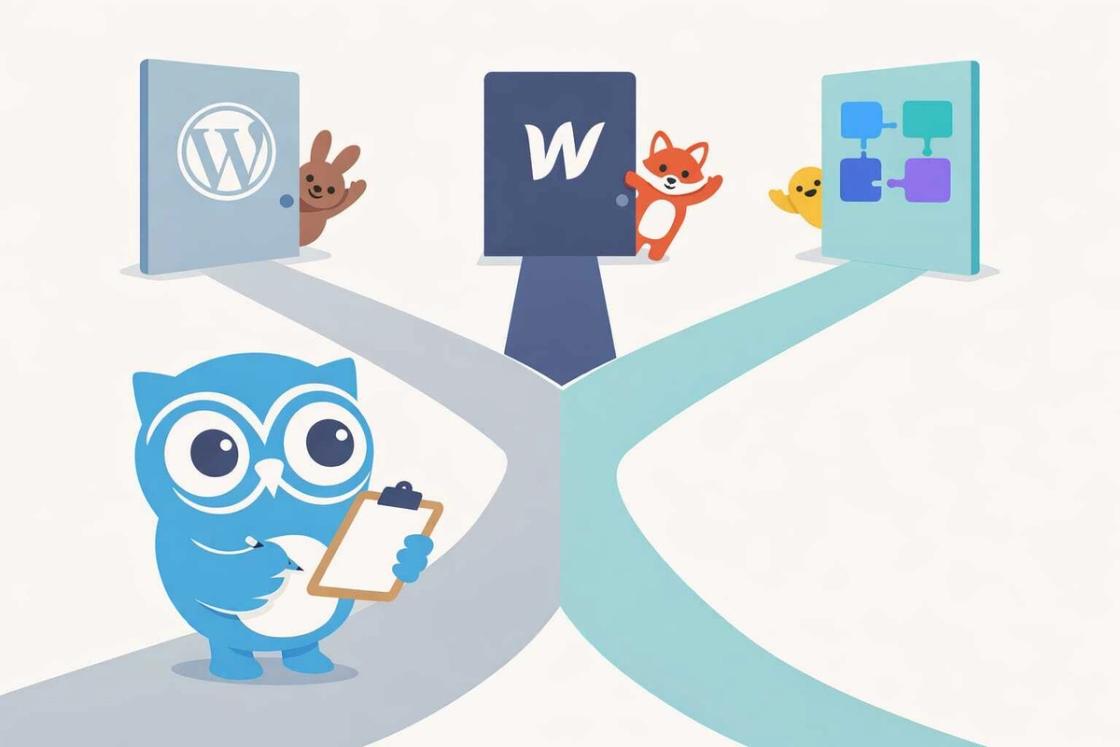
Every agency has a preferred platform. And surprise, they almost always recommend the one they’re most comfortable building on. We try to do it differently. We’ve built on all three and we’ll tell you which one fits, even if it’s not the one we used last time.
This post isn’t a comparison chart. You can find a hundred of those on Google. This is a decision framework based on what we’ve seen work and fail across dozens of real projects for real businesses. Because the right platform for you has almost nothing to do with which one has the best marketing page, and everything to do with your team, your goals, and how you actually operate.
WordPress
- 40%+ of the web — massive ecosystem
- Best for content-heavy sites teams can update
- Real cost: $50K+ to build, minimal ongoing
- Flexible and extensible with custom themes
- Risk: plugin bloat and cheap builds tank performance
Webflow
- Visual builder with clean code output
- Best for marketing sites with frequent design updates
- Real cost: $10K–$25K build + $30–$60/mo hosting
- Designers can iterate without developers
- Risk: gets expensive at scale, limited custom functionality
WordPress
Still powers over 40% of the web. When it’s built right — with custom themes, clean code, and no bloated page builders — it’s powerful, flexible, and cost-effective. Your content team can manage it. Your developers can extend it. It has a massive ecosystem.
The catch: most WordPress sites aren’t built right. They’re stacked with plugins, running slow themes, and held together with duct tape. That’s not a WordPress problem. That’s a builder problem.
What we’ve seen in practice: clients who come to us with a slow, bloated WordPress site are often shocked when we show them what a properly built WordPress site can do. Custom theme on a minimal starter, 5-8 carefully chosen plugins instead of 30, optimized images, real caching strategy. The same platform that was giving them a PageSpeed score of 28 suddenly scores 95+. WordPress didn’t change. The build quality Real cost range: $50K - $100 depending on complexity. Ongoing maintenance is minimal if built right. Your team can handle content updates without calling a developer for every change.
Best for: businesses that need a content-heavy site their team can update, companies with existing WordPress infrastructure, and budgets that need to stretch.
Webflow
Great visual builder with clean output. Designers love it because they can build without writing code. The hosting is fast, the CMS is intuitive, and it handles responsive design well out of the box.
The catch: it gets expensive at scale. Webflow’s pricing tiers add up quickly once you need CMS items beyond the basic plan, multiple staging environments, or localization. Complex functionality — custom user authentication, advanced filtering, dynamic pricing — requires workarounds or third-party tools like Jetboost, Memberstack, or Zapier integrations. And if your business outgrows it, migration can be painful because your content and design are tightly coupled to the platform.
Where Webflow genuinely shines: marketing sites where the design team needs to iterate fast without waiting on developers. If your competitive advantage is moving quickly on landing pages, campaign sites, and A/B testing different layouts, Webflow’s visual editor is hard to beat.
Real cost range: $10K–$25K for the build, plus $30–$60/month hosting. The hidden cost is Webflow’s ecosystem of third-party tools you’ll need for anything beyond basic CMS functionality.
Best for: marketing sites that need frequent design updates, small teams without dedicated developers, and brands that prioritize visual polish.
Headless CMS
Decoupled architecture. Your content lives in one system (Sanity, Contentful, Strapi, or even headless WordPress), your frontend lives in another (Next.js, Gatsby, Astro). This gives you complete control over performance, design, and scalability.
The catch: it costs more to build, requires more technical expertise to maintain, and is overkill for a lot of businesses. Don’t go headless because it sounds cool. Go headless because your content needs to serve multiple channels or your performance requirements demand it.
What headless looks like in the real world: a company with a website, a mobile app, and a digital kiosk that all pull from the same content source. Or a media company publishing hundreds of articles daily that need sub-second load times. Or a brand with multiple regional sites that need shared content with localized variations. These are legitimate headless use cases.
A 20-page marketing site for a services company? Not a headless use case. You’d be paying for infrastructure complexity you don’t need.
Real cost range: $50K–$100K+ depending on scope. Requires ongoing developer involvement for maintenance and updates. Your content team will have a clean editing experience, but the technical overhead is real.
Best for: enterprise applications, multi-channel content delivery, companies with dedicated dev teams, and sites where performance is a competitive advantage.
The Decision Framework
Stop asking “which platform is best?” Start asking these five questions instead.
Who’s going to maintain this?
What’s your content volume?
What’s your real budget?
Where do you need to be in three years?
What integrations do you need?
The Mistakes We See Most
Headless for the wrong reasons
Webflow’s hidden ceiling
Cheap WordPress builds
No content strategy
The platform is a tool. A hammer is a great tool, but it’s useless if you haven’t decided what you’re building. We’ve seen beautiful headless implementations that generate zero leads because nobody thought about conversion strategy. We’ve seen $3K WordPress sites that outperform $50K custom builds because the strategy was right.
The Real Answer
It depends. I know that’s annoying, but it’s true. The right platform depends on your team’s technical capacity, your content workflow, your budget, your growth plans, and a dozen other factors that no blog post can evaluate for you.
What matters more than the platform is how it’s built. A well-built WordPress site will outperform a sloppy headless implementation every time. The technology is secondary to the thinking behind it.
If you’re making this decision right now, here’s the most useful thing we can tell you: talk to someone who doesn’t have a financial incentive to push one platform over another. If every agency you talk to recommends their specialty, you’re getting a sales pitch, not advice. The right answer starts with understanding your business, not choosing a technology.
Quick decision guide: Under $10K with a non-technical team? WordPress. Design-heavy marketing site with frequent updates? Webflow. Multi-channel content delivery with a dev team? Headless. Still not sure? The right answer starts with understanding your business, not choosing a technology.